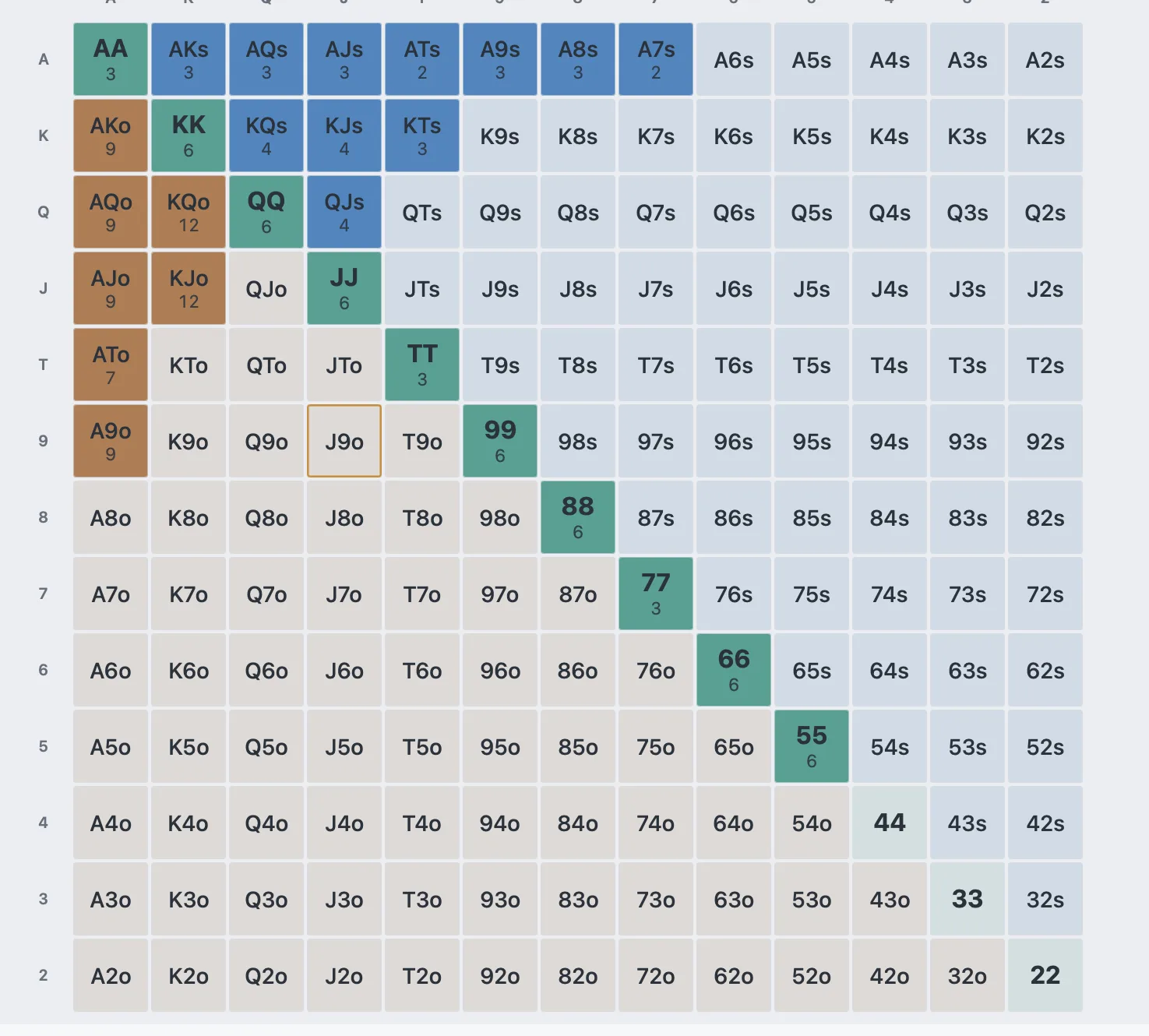
Build
Sculpt ranges in seconds.
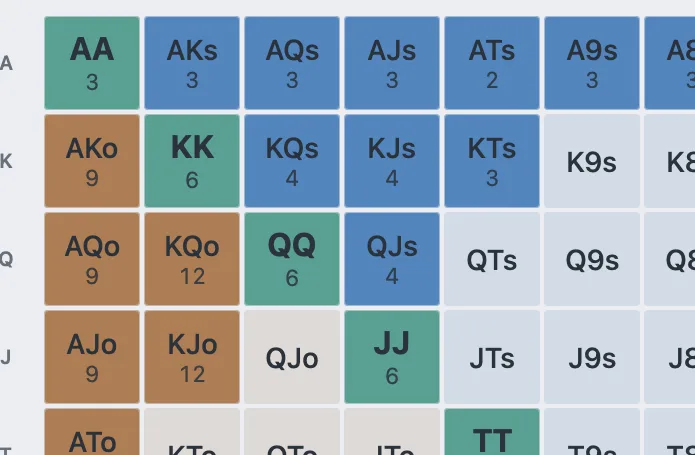
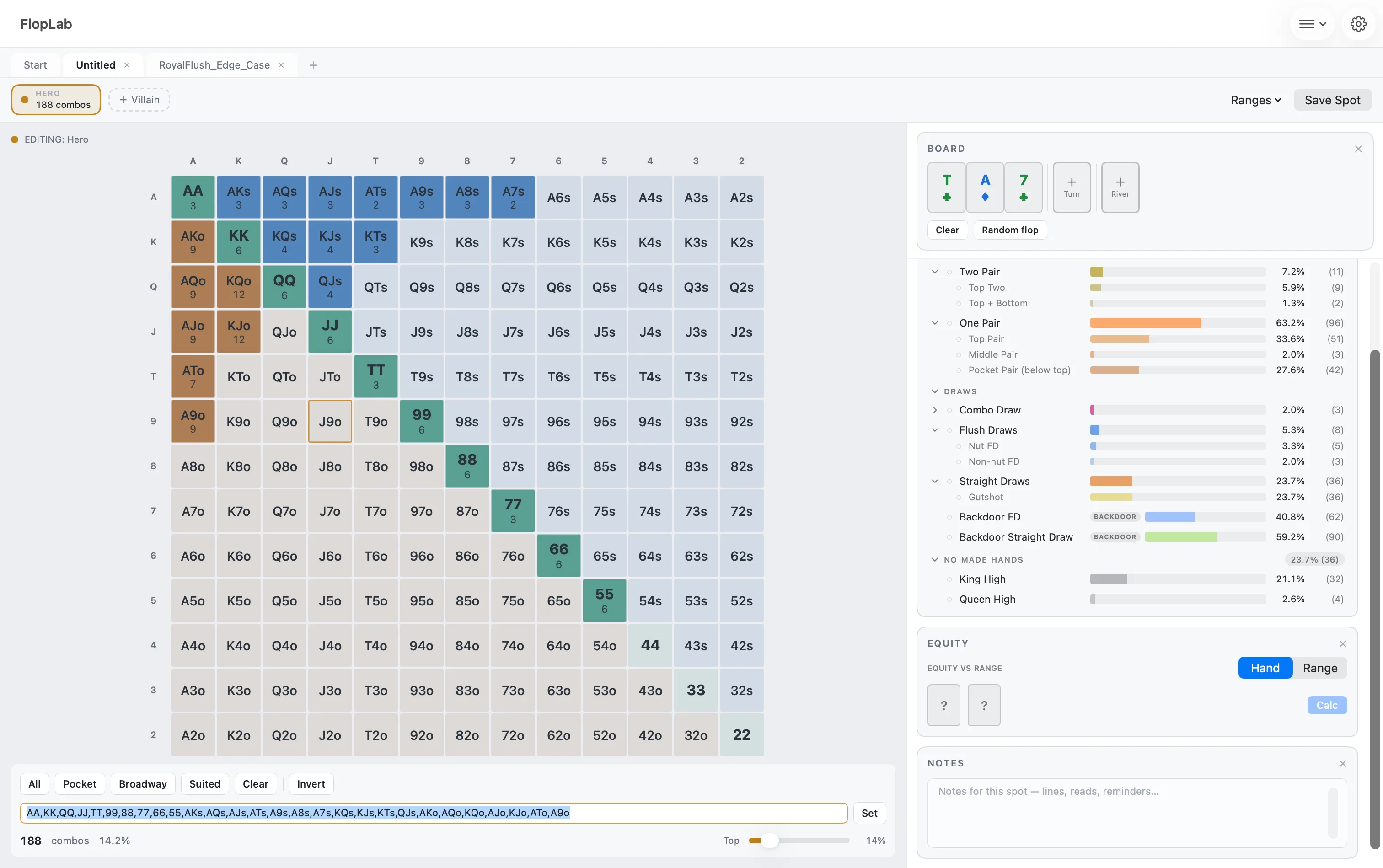
The 13×13 matrix with weights, per-combo control, and position presets — build any range by hand, or paste one in as text.
Build ranges, analyze boards, run range-vs-range equity — the whole study workflow in one fast Mac app. One-time purchase.

No spam — a confirmation now, a heads-up when the beta is out.
Beta, beginning of October. Everything free during the beta. Everyone on the list: 20% off Pro at launch.
The product
Build
The 13×13 matrix with weights, per-combo control, and position presets — build any range by hand, or paste one in as text.
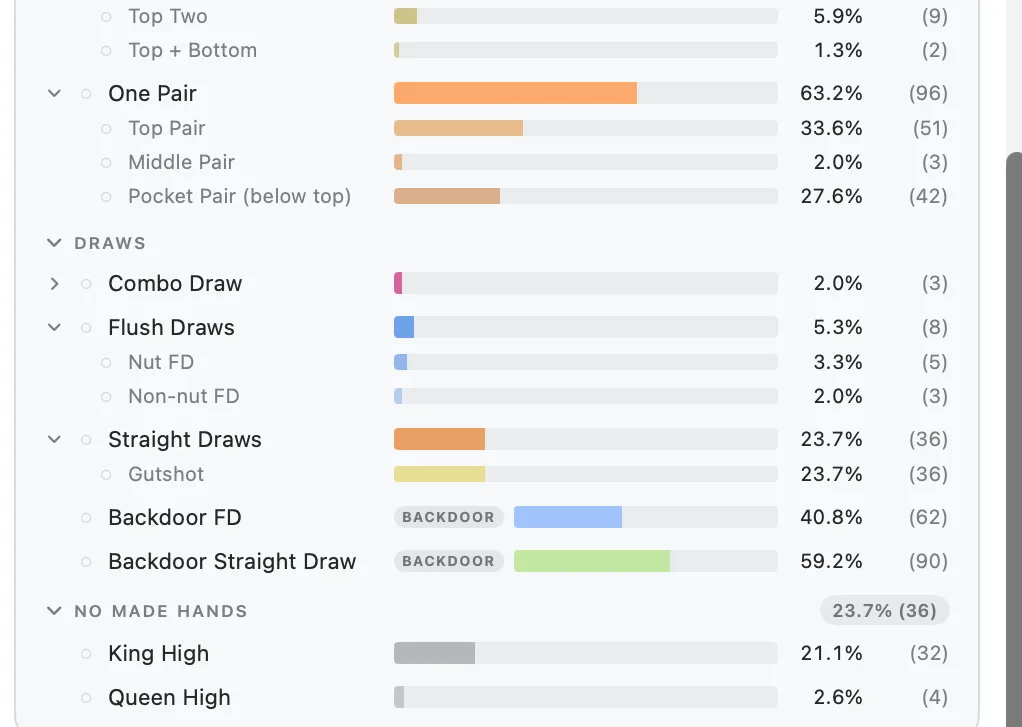
Analyze
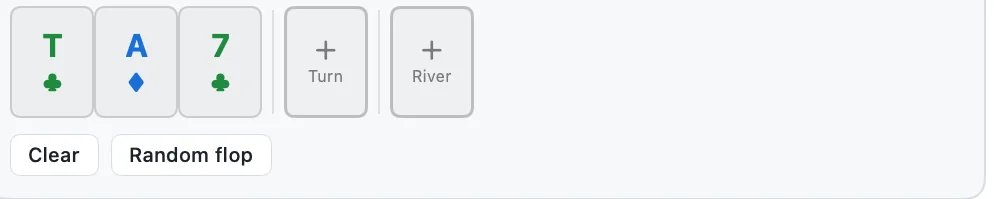
Three cards in, full anatomy out: every made hand, every draw, every combo — counted, ranked, and shifting live as the board, your filters and your dead cards change.

Evolve
Save whole spots in folders and tags, tune the analysis to how you study — one spot or all of them — and pick up where you left off.
Features
Tiers
Everything unlocked, while it lasts.
Free · no invite needed
The core analyzer, free forever.
$0
The full toolkit, one purchase.
One-time · price at launch
Final Free/Pro split confirmed at launch.
Native macOS
01
Everything computes on-device, instantly. No browser tab, no virtual machine.
02
Keyboard shortcuts, tabs, native controls — not a Windows tool from the nineties wearing a costume.
03
Tabs autosave as you go and survive a crash, and your work stays on your Mac.
FAQ
A native macOS study tool for poker ranges and board textures. Build a range on the 13×13 matrix, set a board, and instantly see how the range hits — made hands, draws, equity — then filter it down to what keeps playing.
Off-table study: preparing ranges before a session, reviewing hands afterward ("how did that range hit this flop?"), and building the intuition solvers assume you already have. Solver users can paste a range in as text and explore it like a human would.
The final split locks at launch. The principle already has: the core analyzer — matrix, board analysis, filters, heads-up equity — stays genuinely useful free, and Pro is a one-time purchase, never a subscription.
The beta starts at the beginning of October. Anyone can download FlopLab free from this site — no invite, every feature unlocked — and new features arrive as they ship. Leave your email and we'll tell you when it's out.
Every feature, free, for as long as the beta runs — plus 20% off Pro at launch if you're on the email list.
Free is planned for October–November 2026 and Pro for January 2027 — they launch when the beta proves them ready, and the email list hears first.
Yes — paste plain-text ranges (QQ+, AKs…) straight in. You can export any range as text too; solver file formats are on the roadmap.
No — it's descriptive, not prescriptive. It shows how ranges hit boards; your solver tells you strategy. Serious study workflows use both.
Not scheduled yet. The engine is built to be shared with iPhone and iPad, but the Mac comes first.
Direct download, from this site. During the beta, macOS asks you to confirm the first launch — code signing and notarization arrive with 1.0.
No — Flopzilla is Windows-only; running it on a Mac takes a virtual machine or a Wine wrapper. FlopLab is a native macOS alternative, built as its own tool around the same style of range-analysis workflow. The full Flopzilla-on-Mac guide →
FlopLab is built for off-table study. Most sites restrict live-assist tools — check your room's rules.
Beta
Free for everyone from the beginning of October, with every feature unlocked. Leave your email for a heads-up when it's out — and 20% off Pro at launch.
No spam — a confirmation now, a heads-up when the beta is out.